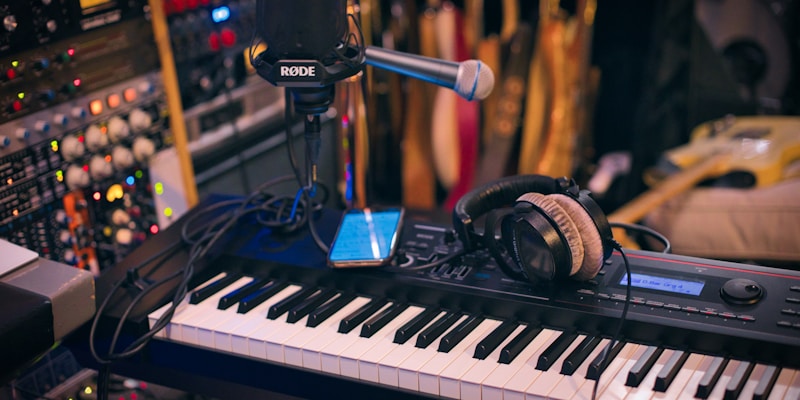
Sound Design Secrets: How to Make Your Beats Stand Out
Learn advanced sound design techniques to create unique, memorable beats. Discover layering strategies, resampling workflows, creative effects, and how to develop your signature sound.
Anyone can download the same sample packs. Everyone has access to the same presets. Yet some producers create instantly recognizable, unique-sounding beats while others blend into the crowd. The difference? Sound design. These techniques will help you transform generic samples into signature sounds that make your beats stand out.
Why Sound Design Matters in 2026
The beat market is saturated. Type beats flood every platform, often using identical samples and presets. To sell beats consistently and build a recognizable brand, you need a unique sonic identity. Artists don't just buy good beats - they buy distinctive sounds they can't get elsewhere.
- Differentiation: Unique sounds make your beats memorable and shareable
- Higher value: Original sound design justifies premium pricing
- Brand identity: Consistent sonic signature builds recognition
- Creative satisfaction: Designing sounds is more fulfilling than browsing presets
- Artistic growth: Sound design skills compound - they improve every future beat
The producers making six figures aren't using better samples - they're transforming samples in ways nobody else thinks to. Sound design is your competitive advantage.
Layering: The Foundation of Unique Sounds
Professional producers rarely use single-source sounds. That punchy kick? Probably three kicks layered: one for sub, one for body, one for click. That lush pad? Four different synths blended. Layering creates depth, complexity, and originality that single sounds can't achieve.
Kick Drum Layering Technique
- Layer 1 (Sub): Pure sine wave 40-60Hz for low-end weight
- Layer 2 (Body): Punchy acoustic kick sample 80-200Hz
- Layer 3 (Click): Transient-rich sample or white noise burst for attack
- Processing: EQ each layer to occupy its frequency range without overlap
- Glue: Subtle bus compression to blend layers cohesively
When layering, think in terms of frequency ranges. Each layer should own a specific range: sub (20-80Hz), low-mid (80-300Hz), mid (300Hz-2kHz), high-mid (2-8kHz), highs (8kHz+). This prevents frequency masking and creates clarity.
Melodic Element Layering
Layer complementary synth sounds for rich, unique melodic textures. Don't just stack similar sounds - combine contrasting timbres that fill different frequency ranges and add different characteristics.
- Combine bright + dark: Pair a bright pluck with a dark pad for balance
- Mix smooth + textured: Blend clean sine waves with gritty, resampled tones
- Layer wide + mono: Combine wide stereo sounds with focused mono elements
- Vary envelope shapes: Mix short attacks with slow swells for movement
Resampling: Transform Any Sound into Anything
Resampling is the secret weapon of top producers. It means taking any sound, processing it heavily, then bouncing it to audio and using that as your new raw material. This technique creates sounds impossible to achieve with standard plugin chains.
Basic Resampling Workflow
- Step 1: Start with any source - synth preset, sample, vocal recording, anything
- Step 2: Process heavily - extreme EQ, distortion, reverb, time-stretching
- Step 3: Bounce to audio (resample)
- Step 4: Manipulate the audio - reverse, chop, pitch-shift, granular effects
- Step 5: Layer with other elements or resample again for deeper transformation
Creative Resampling Ideas
- Vocal chops: Record yourself humming, resample with effects, chop into rhythmic patterns
- Atmospheric textures: Record room noise, stretch 800%, add reverb, create unique ambient beds
- Unique percussion: Resample synth notes with short decay, use as drum hits
- Signature lead: Design complex synth sound, resample, pitch down two octaves, use as bass
- Reverse engineering: Take commercial beat elements, resample and transform beyond recognition
Create a "resampling bank" folder. When you create interesting resampled sounds, save them as samples. Over time you'll build a library of 100% original sounds nobody else has.
Creative Effects and Processing
Beyond basic mixing effects (EQ, compression, reverb), creative effects transform sounds into something unrecognizable and unique. These techniques push sounds into unexpected territory.
Granular Synthesis and Time-Stretching
Granular effects break audio into tiny fragments (grains) and rearrange them, creating textures from ethereal to glitchy. Time-stretching at extreme ratios (200-800%) transforms any sound into evolving pads.
- Tool: Ableton's Granulator, Serato Pitch 'n Time, or Paulstretch (free)
- Try: Stretch a 1-second drum hit to 30 seconds - instant unique ambient texture
- Technique: Granular effects on vocal chops create otherworldly, haunting sounds
Bitcrushing and Lo-Fi Processing
Deliberately degrade sound quality for character and vibe. Lo-fi isn't just an aesthetic - it's a sound design technique that adds warmth, grit, and uniqueness.
- Reduce sample rate (8-bit, 12-bit) for digital grit
- Add vinyl crackle and tape saturation for analog warmth
- Use wow and flutter effects for pitch instability and movement
- Combine with EQ cuts to simulate old radio or telephone speakers
Modulation and Movement
Static sounds are boring. Add movement through modulation: LFOs, automation, and rhythmic effects that make sounds breathe and evolve.
- LFO to filter cutoff: Creates rhythmic "wah" movement on sustained sounds
- Tremolo and autopan: Adds rhythmic volume and stereo movement
- Sidechain to non-drum elements: Create pumping effects triggered by any sound
- Parameter automation: Automate plugin parameters throughout the beat for evolution
Movement is the difference between "okay" and "I need to hear that again." Sounds that evolve command attention. Static sounds blend into the background.
Developing Your Signature Sound
A signature sound isn't something you decide - it's something that emerges from consistent techniques and preferences. But you can accelerate its development with intentional practice.
Constraints Breed Creativity
Infinite options paralyze creativity. Limit yourself deliberately to force innovation. These constraints push you toward unique solutions.
- Use only 3 synth presets for an entire month - learn to transform them deeply
- Produce 5 beats using sounds from a single household object you record
- Ban reverb for 10 beats - force yourself to create depth through other means
- Use only free plugins for a month - master what you have instead of hunting new tools
Study and Deconstruct
Identify 3-5 producers whose sound you admire. Deconstruct their beats systematically. How are drums processed? What effects create their atmosphere? Try to recreate specific sounds, then apply those techniques to your own work.
- Import reference tracks into your DAW and analyze closely
- Use spectrum analyzers to visualize frequency content
- Strip acapellas to hear instrumental elements clearly
- Attempt 1:1 recreations of specific sounds to learn techniques
- Apply learned techniques to your original sounds
Document Your Discoveries
When you create a sound you love, document the process. Save presets, take notes, screenshot settings. Your signature sound develops from repeating and refining techniques you discover accidentally.
Create a "sound design journal" - a simple document noting interesting techniques you discover. "Resampled 808 with reverb and distortion = crazy lead sound." Review it monthly for inspiration.
Practical Sound Design Challenges
Theory is useless without practice. Try these challenges to develop your sound design skills practically.
7-Day Sound Design Challenge
- Day 1: Create 5 unique kick drums by layering
- Day 2: Design 5 snares using only resampling (no raw samples)
- Day 3: Make 5 atmospheric textures from household recordings
- Day 4: Create 5 bass sounds using non-bass sources (vocals, guitars, etc.)
- Day 5: Design 5 lead sounds by heavily processing piano or vocal samples
- Day 6: Make 5 percussive elements from synth sounds (no drum samples)
- Day 7: Produce a complete beat using only sounds you designed this week
The "No Samples" Beat Challenge
Produce an entire beat using zero samples - only synthesized sounds and recordings you make yourself. This forces you to design everything from scratch, rapidly developing sound design skills.
Implementation: Your Action Plan
Sound design skills develop through consistent practice. Integrate these techniques into your regular workflow:
- Dedicate 20% of each session to sound design experimentation
- Before using a preset, try tweaking it first - always modify, never use stock
- Layer at least one element in every beat you produce
- Resample something in every project - make it a habit
- Save every unique sound you create for future use
In 90 days of consistent practice, your sounds will be noticeably more unique. In a year, you'll have developed a recognizable signature. Sound design isn't a shortcut - it's an investment that compounds over your entire career.
Want feedback on whether your sound design is working? BeatAdvisor's AI analyzes production value and uniqueness, helping you understand if your creative choices are landing. Get objective scores on your beats and track your progress as your sound design skills develop. Start analyzing free.
Ready to Take Your Beats to the Next Level?
Get instant AI-powered feedback on your beats. Analyze mix quality, commercial appeal, and production value. Track your improvement and create better beats faster.